Skip to content

For secretaries, PAs and practice managers

One approved full pathway to share at the right stage.

Keep preparation and recovery information together for each procedure. Your team handles the patient handoff; the consultant retains clinical approval.

Try the handoff

Choose the patient’s stage, then open or copy the matching live worked-example link.

https://demo.polaris.patient-compass.co.uk

This demo records no patient details or send history.

Need consultant agreement first? Open the one-page overview.

How your practice uses it

Preparation, recovery and approval have distinct places.

The full pathway is the standard unit: Polaris before surgery and The Compass after it. Administrative and clinical responsibilities stay separate throughout.

01

Prepare

Administrative staff can assemble source material, prepare drafts and request review.

02

Approve

A registered clinician reviews and signs the clinical content before it is published.

03

Share

The practice sends the preparation or recovery link using its normal communication channel.

What the practice can rely on
A governed content workflow, not a patient record system.

  • ✓ The current source and content version remain visible.
  • ✓ Standard and easy-read content are part of the same approval workflow.
  • ✓ Clinical sign-off cannot be performed by an administrative role.
  • ✓ Patients do not create accounts or self-enrol.
  • ✓ The Suite does not need patient-identifying information.

Read the governance and data position

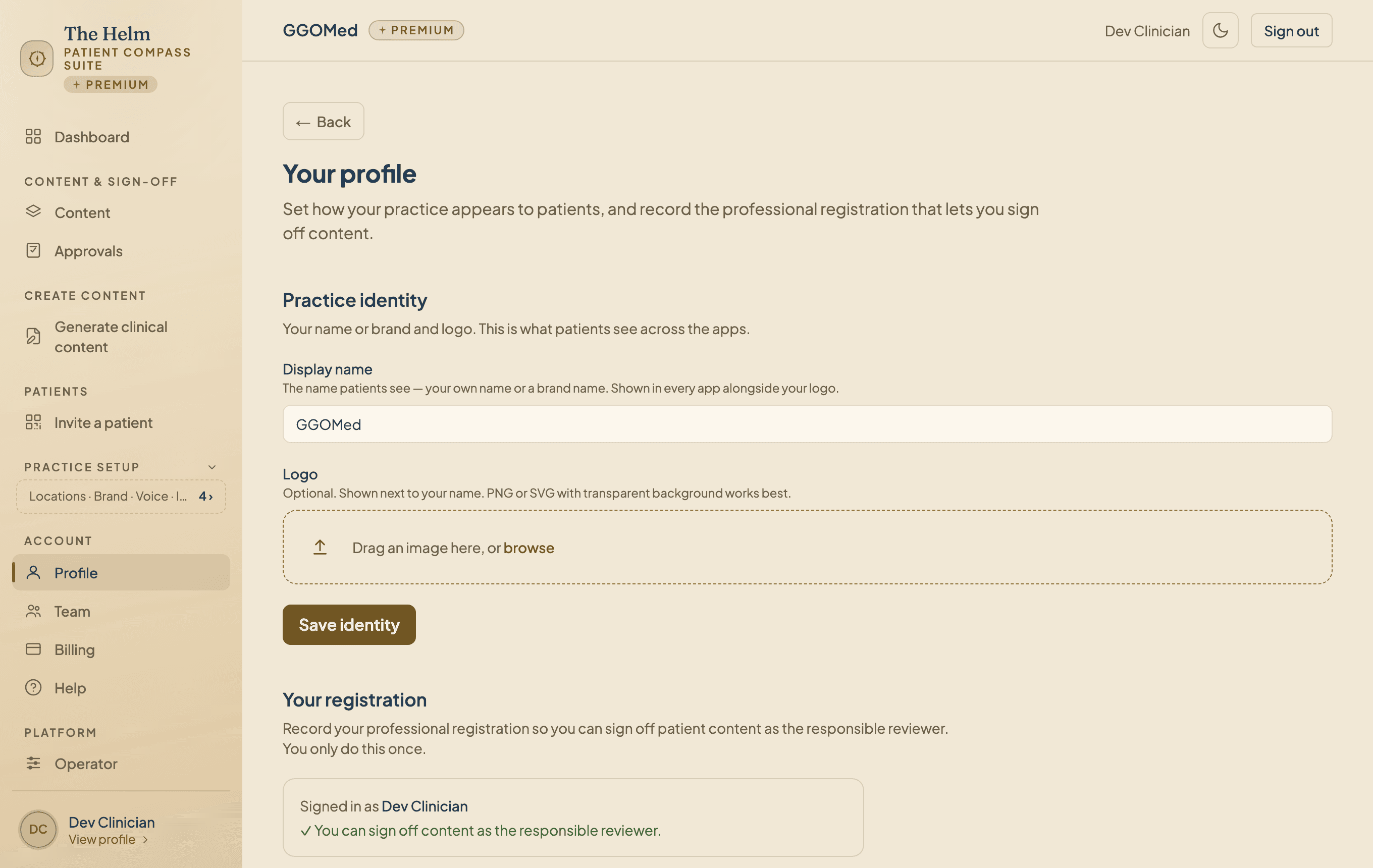
The Helm showing a clinician profile and professional registration details

See the workflow together

Request a practice walkthrough.

We will show the full pathway, what a staff member sees, how a link is selected and where clinical sign-off remains protected. Nothing is booked until we confirm a suitable time with you.

Request your walkthrough

Tell us about the practice and procedure you want to explore.

Add practice or procedure details (optional)

Add your name and email to enable this button.

We use your professional contact details only to respond to this request. Do not enter a patient name, contact detail, date of birth or clinical identifier. Patients do not create accounts, and we do not use advertising trackers.

Practical questions

Frequently asked questions

Do practice staff need clinical sign-off access?
No. Administrative staff can prepare content and request review, but registered-clinician sign-off remains a separate permission.
Does the patient need to install an app?
No. A patient can open the provider-issued pathway link in a browser. There is no patient account or public self-enrolment.
Can more than one consultant take part?
Multi-clinician arrangements are available through the organisation enquiry route. Each consultant remains responsible for signing their own clinical content.
Does requesting a walkthrough start a plan or trial?
No. It is only a request to see the workflow. Plans, pricing and any later agreement are handled separately.
Can a practice use only preparation or only recovery?
Yes. Single-product pathways are available, although the standard offer joins preparation and recovery as one full pathway.